 Tabel
TabelFlexible saving
Save the most recently active eligible tab, selected tabs, or eligible tabs from every window.
Tabel turns open tabs into organized groups that you can search, sort, sync, and restore, while reducing the memory used by your browser and computer.
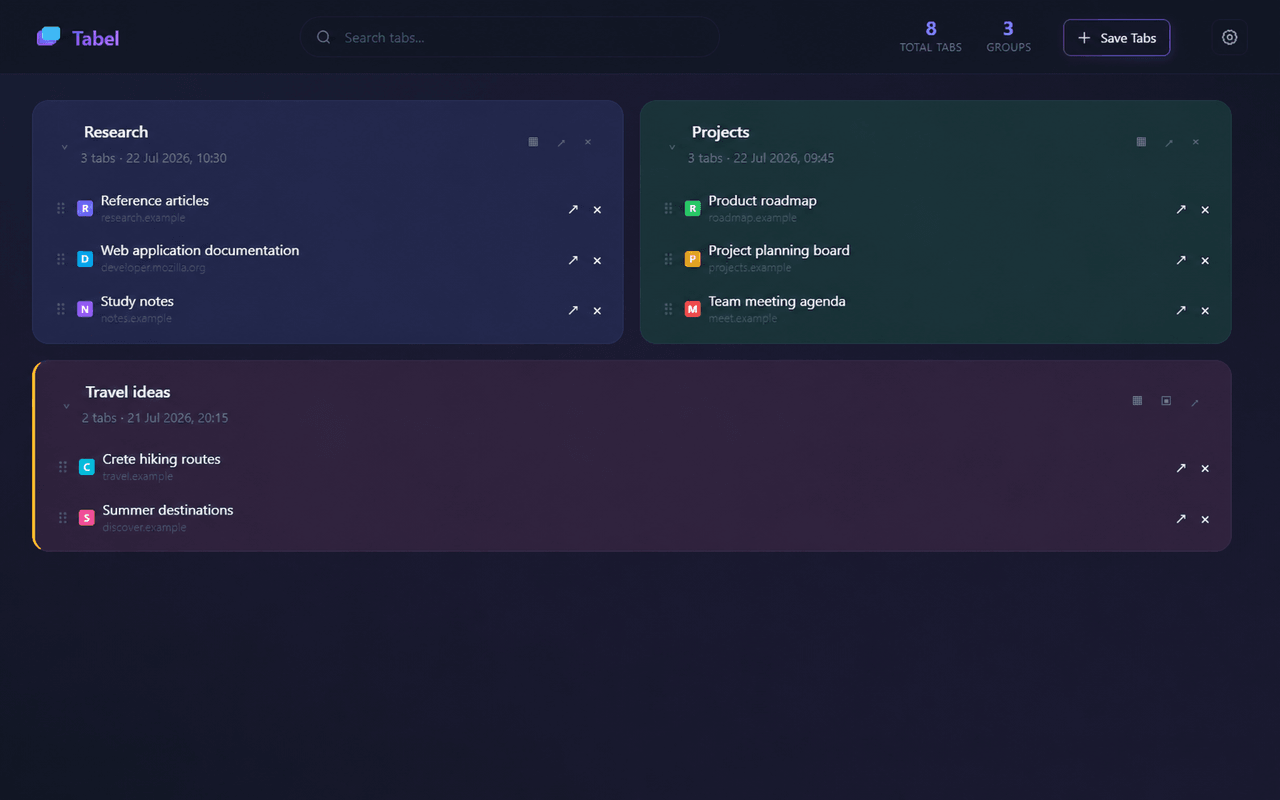
Tab organization without a Tabel account or a developer-operated server.
Save the most recently active eligible tab, selected tabs, or eligible tabs from every window.
Find a page quickly and arrange groups and tabs with drag and drop.
Save the current page or send a selected link directly to a group.
Chrome Sync shares saved data through your Chrome account. Tabel 2.1 adds Local Only mode, recovery, and separate upload/download status.
Restore one tab or a group and create local JSON backups.
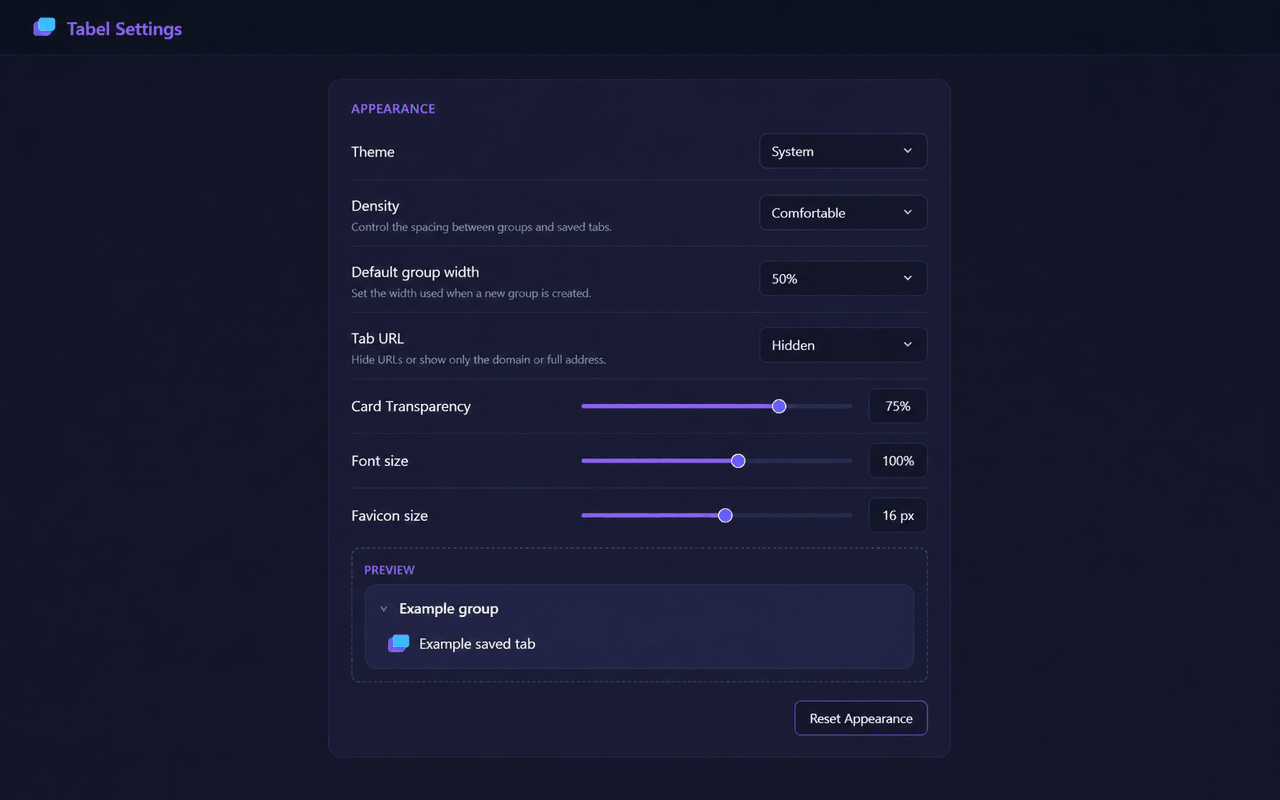
Control theme, density, URL display, text, favicons, and group width.
Three steps from tab clutter to an organized Dashboard.
Use the Tabel icon, Save Tabs, or a context menu command.
Rename, sort, lock, format, and search your saved groups.
Open one page or a complete group when you are ready to continue.
Tabel is available for free on the Chrome Web Store. Select Add to Chrome and confirm the installation. Developer mode is not required.
Developers can find local setup and testing instructions in the Development section on GitHub.
Tabel does not use a developer-operated server, advertisements, or tracking tools.
Read the privacy policyCore information before installing Tabel.
No. The extension works with Chrome's built-in storage features.
No. Tabel has no developer-operated server. Synchronization uses Chrome Sync when enabled. Local Only keeps data on this device.
Yes. Export and import JSON from Settings. Tabel 2.1 also creates verified local safety backups before critical actions. Export files for backups that survive uninstalling Tabel.
Tabel saves tabs only after you use the extension icon, Save Tabs, or a context menu command. The pinned-tab and audible-tab options in Settings apply to Save Tabs in the Dashboard. The extension icon saves eligible non-pinned tabs from the active window.
Install Tabel for free from the Chrome Web Store and start organizing your tabs.